
Best AI Invoice Generator Apps In 2026 (Compared)
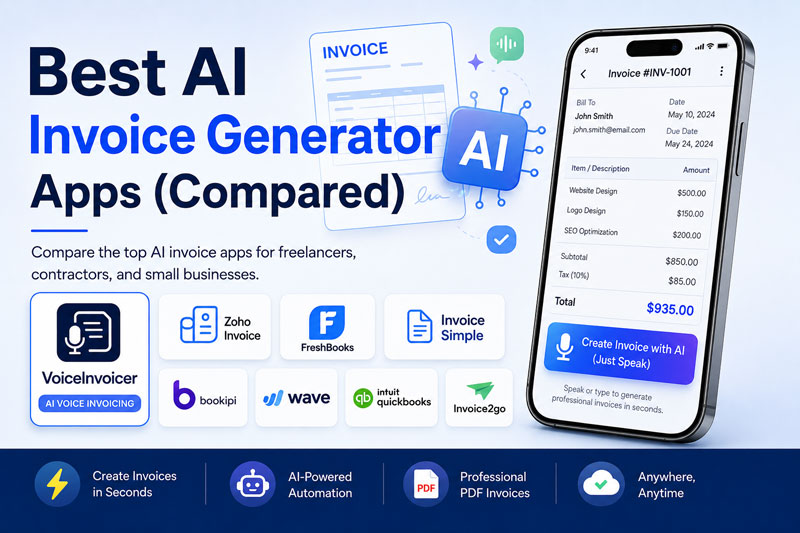
Creating invoices used to be one of the most repetitive parts of running a business. Whether you’re a freelancer, consultant, contractor, or small business owner, manually entering client details, services, taxes, and payment terms can quickly become a time-consuming task.
Fortunately, artificial intelligence is changing that.
Today’s AI invoice generator apps can create professional invoices in seconds using simple text prompts—or even your voice. Instead of filling out multiple fields manually, you can describe your work naturally and let AI organize everything into a polished invoice ready to send.
For example, you can simply say:
“Create an invoice for David Johnson for website development. Total amount $500. Payment due in 7 days.”
Within moments, an AI-powered invoice app can generate a complete invoice with client details, line items, totals, taxes (if configured), and a professional layout.
The benefits go beyond saving time. AI invoice generators help reduce repetitive data entry, improve consistency, and make it easier to invoice clients while you’re on the move. Whether you’re working from a laptop, a phone, or directly at a client’s location, AI makes invoicing faster and more convenient.
However, not all invoice apps are built the same.
Some focus on accounting.
Some prioritize bookkeeping.
Others specialize in estimates and recurring billing.
And a newer generation of apps is built around AI-first workflows, allowing users to create invoices simply by speaking or describing their work.
In this guide, we’ll compare some of the best AI invoice generator apps available in 2026. We’ll look at their features, strengths, ideal users, and limitations to help you choose the right solution for your business.
By the end of this comparison, you’ll have a clear understanding of which AI invoice app best fits your workflow—whether you’re a freelancer, contractor, agency owner, or growing small business.
Try VoiceInvoicer
Ready to experience AI-powered invoicing?
With VoiceInvoicer, you can:
- ✅ Create invoices by voice
- ✅ Generate professional PDF invoices
- ✅ Manage clients and products
- ✅ Track expenses and reports
- ✅ Create estimates
- ✅ Send invoices in seconds
Download VoiceInvoicer
📱 Google Play: Download VoiceInvoicer
🍎 Apple App Store: Download VoiceInvoicer
Why This Guide Is Different
Many comparison articles simply list apps without explaining who they’re actually designed for.
This guide focuses on practical questions, including:
- Which app is best for freelancers?
- Which AI invoice generator is easiest to use?
- Which apps support voice-powered invoice creation?
- Which solution offers the best mobile experience?
- Which app is best for small businesses?
- Which app is best for contractors and field service professionals?
Rather than declaring a single “winner,” we’ll highlight where each app performs best so you can choose the one that matches your workflow.
What We’ll Compare
In this guide, we’ll review:
- VoiceInvoicer
- Zoho Invoice
- FreshBooks
- Invoice Simple
- Bookipi
- Wave
- QuickBooks
- Invoice2go
We’ll compare them based on:
- AI capabilities
- Ease of use
- Voice input
- Invoice templates
- Estimates
- Client management
- Reports
- Mobile experience
- Cloud sync
- Pricing
Comparing the Best AI Invoice Generator Apps
Choosing an AI invoice generator isn’t just about finding the app with the longest feature list. The right choice depends on how you work, where you work, and what kind of business you run.
For example:
- A freelancer may prioritize speed and simplicity.
- A contractor may need to create invoices directly at a job site.
- A consultant may want recurring invoices and payment reminders.
- A growing company may need accounting integrations and financial reporting.
The table below compares the leading invoice apps based on the features that matter most.
AI Invoice Generator Comparison Table (2026)
| Feature | VoiceInvoicer | Zoho Invoice | FreshBooks | Invoice Simple | Bookipi | Wave | QuickBooks |
|---|---|---|---|---|---|---|---|
| AI Invoice Generation | ⭐⭐⭐⭐⭐ | ⭐⭐⭐ | ⭐⭐⭐ | ⭐⭐ | ⭐⭐⭐ | ⭐⭐ | ⭐⭐⭐ |
| Voice Invoice Creation | ✅ | ❌ | ❌ | ❌ | Limited | ❌ | ❌ |
| AI Text-to-Invoice | ✅ | Limited | Limited | ❌ | Limited | ❌ | Limited |
| Professional Templates | ✅ | ✅ | ✅ | ✅ | ✅ | ✅ | ✅ |
| PDF Export | ✅ | ✅ | ✅ | ✅ | ✅ | ✅ | ✅ |
| Estimates | ✅ | ✅ | ✅ | ✅ | ✅ | ❌ | ✅ |
| Expense Tracking | ✅ | ✅ | ✅ | ❌ | ✅ | ✅ | ✅ |
| Client Management | ✅ | ✅ | ✅ | ✅ | ✅ | ✅ | ✅ |
| Recurring Invoices | ✅ | ✅ | ✅ | Limited | ✅ | Limited | ✅ |
| Mobile Experience | ⭐⭐⭐⭐⭐ | ⭐⭐⭐⭐ | ⭐⭐⭐⭐ | ⭐⭐⭐⭐ | ⭐⭐⭐⭐ | ⭐⭐⭐ | ⭐⭐⭐⭐ |
| Best For | AI-first mobile invoicing | Zoho ecosystem | Accounting + invoicing | Simple invoicing | Small businesses | Free accounting | Full accounting suite |
Note: Features and capabilities may change over time as apps release updates. Always verify the latest information on each provider’s official website before making a decision.
Try VoiceInvoicer
Ready to experience AI-powered invoicing?
With VoiceInvoicer, you can:
✅ Create invoices by voice
✅ Generate professional PDF invoices
✅ Manage clients and products
✅ Track expenses and reports
✅ Create estimates
✅ Send invoices in seconds
Download VoiceInvoicer
📱 Google Play: Download VoiceInvoicer
🍎 Apple App Store: Download VoiceInvoicer
How We Evaluated These Apps
To make this comparison useful, we looked at factors that matter in day-to-day business use rather than simply counting features.
Ease of Invoice Creation
The fastest apps reduce the number of taps and manual data entry needed to create an invoice.
Apps with conversational AI or voice input score higher because they minimize repetitive work.
AI Capabilities
Not every “AI” invoice app uses artificial intelligence in the same way.
Some offer:
- Smart suggestions
- Auto-complete
- Invoice templates
Others can actually generate invoices from natural language or voice commands.
That’s an important distinction.
Mobile Experience
Many professionals create invoices while traveling or immediately after completing work.
A good mobile interface should allow users to:
- Create invoices quickly
- Edit information easily
- Share PDFs instantly
- Track payment status without navigating multiple menus
Automation
We also considered automation features such as:
- Recurring invoices
- Payment reminders
- Saved products
- Saved clients
- Automatic invoice numbering
Automation reduces repetitive tasks and saves time over the long term.
Reporting & Business Insights
Modern invoice apps often include:
- Revenue reports
- Outstanding payments
- Expense summaries
- Tax reports
- Customer history
These insights help business owners understand cash flow and financial performance without needing separate spreadsheets.
Quick Overview of Each App
Before diving into detailed reviews, here’s a brief summary of what each solution is best known for.
VoiceInvoicer
An AI-first mobile invoicing app designed around voice and natural language. Ideal for freelancers, consultants, contractors, and small businesses that want to create invoices quickly without typing.
Zoho Invoice
A feature-rich invoicing solution that integrates well with the wider Zoho ecosystem, making it a good choice for businesses already using Zoho products.
FreshBooks
A popular platform that combines invoicing with accounting, expense tracking, and time tracking. Well suited to freelancers and service-based businesses that want more comprehensive financial tools.
Invoice Simple
Focused on exactly what its name suggests: creating invoices with minimal complexity. A good option for users who want a straightforward invoicing experience.
Bookipi
A mobile-first invoicing application offering estimates, invoices, and expense tracking. Suitable for freelancers and small businesses looking for an easy-to-use solution.
Wave
Known primarily for its free accounting software, Wave also provides invoicing tools that appeal to small businesses operating on a tight budget.
QuickBooks
One of the world’s best-known accounting platforms. It combines invoicing with bookkeeping, payroll, tax reporting, and advanced financial management.
Which Type of User Are You?
Different businesses have different priorities.
Freelancer
You probably value:
- Speed
- Mobile access
- Professional PDFs
- Simple client management
Contractor
You’ll likely benefit from:
- Voice invoice creation
- Mobile invoicing
- Quick sharing
- Payment reminders
Agency
Look for:
- Recurring invoices
- Multiple clients
- Reporting
- Estimates
Small Business
Consider:
- Expense tracking
- Financial reports
- Tax support
- Multi-currency capabilities
Enterprise
If your business requires:
- Payroll
- Inventory
- Advanced accounting
- Compliance reporting
then a comprehensive accounting platform may be more appropriate than an invoicing-focused application alone.
What Makes an AI Invoice App Stand Out?
With AI becoming a popular marketing term, it’s worth asking what actually makes an invoice app “AI-powered.”
The most useful AI invoice generators should help reduce manual work by:
- Understanding natural language
- Extracting invoice details automatically
- Suggesting products or services
- Organizing invoice data
- Speeding up invoice creation
- Reducing repetitive typing
The more an app can simplify these tasks while still giving you control over the final invoice, the more valuable its AI features become.
Detailed Reviews of the Best AI Invoice Generator Apps
Every business has different invoicing needs. A freelancer working with five clients each month has very different requirements from a growing agency or a company managing hundreds of invoices.
That’s why there isn’t one perfect invoice app for everyone.
Below is a detailed review of some of the most popular AI invoice generator apps available in 2026, including their strengths, ideal users, and where they fit best.
1. VoiceInvoicer
Best For: Freelancers, consultants, contractors, service professionals, and small businesses looking for an AI-first mobile invoicing experience.
VoiceInvoicer takes a different approach from traditional invoice software. Instead of asking users to complete multiple forms, it focuses on conversational AI and voice input to simplify invoice creation.
Users can simply describe the completed work, and the app automatically generates a professional invoice that can be reviewed, edited, exported as a PDF, and shared with clients.
For professionals who spend most of their day away from a desk, this voice-first workflow can significantly reduce administrative work.
Key Features
- AI voice invoice creation
- AI text-to-invoice generation
- Professional invoice templates
- Estimate creation
- PDF export
- Client management
- Product management
- Expense tracking
- Business reports
- Recurring invoices
- Payment reminders
- Multi-currency support
- Cloud backup
Pros
- Fast AI-powered invoice creation
- Voice-first workflow
- Modern, mobile-friendly interface
- Professional invoice templates
- Complete invoicing solution beyond simple billing
Considerations
VoiceInvoicer focuses on invoice creation and business productivity. Companies that require enterprise accounting, payroll, or inventory management may still choose to integrate it with dedicated accounting software.
Best Choice For
- Freelancers
- Contractors
- Consultants
- Electricians
- Plumbers
- Agencies
- Coaches
- Designers
- Photographers
- Small businesses
Overall Rating: ⭐⭐⭐⭐⭐ (4.9/5)
2. Zoho Invoice
Best For: Businesses already using the Zoho ecosystem.
Zoho Invoice has built a strong reputation by offering invoicing as part of its broader business software platform. Businesses already using Zoho CRM, Zoho Books, or other Zoho products often benefit from the integration between these services.
The application supports professional invoices, estimates, recurring invoices, expense tracking, and automation tools that simplify routine tasks.
Key Features
- Professional invoices
- Estimates
- Client portal
- Time tracking
- Payment reminders
- Business integrations
- Automation
Pros
- Excellent ecosystem integration
- Mature invoicing platform
- Strong automation features
- Suitable for growing businesses
Considerations
Although Zoho includes intelligent automation features, its workflow remains primarily form-based rather than centered around conversational AI or voice-powered invoice generation.
Best Choice For
Businesses already committed to the Zoho platform.
Overall Rating: ⭐⭐⭐⭐☆ (4.7/5)
3. FreshBooks
Best For: Freelancers and service businesses that need invoicing together with accounting.
FreshBooks combines invoicing, expense management, accounting, and time tracking into one platform. It has become particularly popular among consultants, agencies, and freelancers who bill clients by the hour.
Its financial reporting tools make it a strong choice for businesses looking for more than invoice creation.
Key Features
- Professional invoicing
- Time tracking
- Expense tracking
- Accounting
- Financial reports
- Client management
Pros
- Comprehensive financial tools
- Easy-to-use interface
- Strong reporting
- Reliable accounting features
Considerations
FreshBooks focuses on accounting and bookkeeping rather than AI-powered invoice generation. Users specifically looking for conversational AI or voice invoicing may prefer an AI-first application.
Best Choice For
- Consultants
- Agencies
- Freelancers
- Professional service businesses
Overall Rating: ⭐⭐⭐⭐☆ (4.6/5)
4. Invoice Simple
Best For: Users who want straightforward invoice creation without advanced business tools.
Invoice Simple lives up to its name by focusing on a clean and uncomplicated invoicing experience. Users can quickly create invoices, estimates, and receipts without navigating complex accounting features.
This simplicity makes it attractive to sole proprietors and small businesses with relatively basic invoicing needs.
Key Features
- Invoice creation
- Estimates
- PDF export
- Basic reporting
- Customer management
Pros
- Easy to learn
- Clean interface
- Fast invoice creation
- Suitable for beginners
Considerations
Compared with AI-first invoice apps, Invoice Simple offers fewer intelligent automation features and limited conversational invoice generation.
Best Choice For
Individuals and small businesses looking for a simple invoicing solution.
Overall Rating: ⭐⭐⭐⭐☆ (4.5/5)
5. Bookipi
Best For: Freelancers and small businesses wanting mobile invoicing with additional productivity features.
Bookipi offers invoice creation, estimates, expense tracking, and customer management through a mobile-friendly interface. It aims to reduce paperwork while keeping invoicing straightforward.
Its mobile experience makes it suitable for professionals who frequently work away from the office.
Key Features
- Invoice generation
- Estimates
- Expense tracking
- Payment reminders
- Customer management
Pros
- Mobile-first design
- Professional invoice templates
- Easy navigation
- Good feature balance
Considerations
Although Bookipi includes helpful automation, its AI capabilities are more limited than apps specifically designed around conversational AI and voice-powered workflows.
Best Choice For
Freelancers, consultants, and small businesses.
Overall Rating: ⭐⭐⭐⭐☆ (4.4/5)
6. Wave
Best For: Small businesses looking for free accounting and invoicing tools.
Wave has earned popularity by offering accounting software with integrated invoicing features at no cost for many users. It provides basic invoicing, accounting, and expense tracking in a single platform.
For startups and small businesses with limited budgets, Wave offers an attractive entry point.
Key Features
- Free invoicing
- Accounting
- Expense tracking
- Financial reports
- Customer management
Pros
- Free core features
- Reliable accounting
- Easy setup
- Suitable for startups
Considerations
Wave focuses on accounting rather than AI-powered invoice generation, so businesses seeking advanced automation may find its AI capabilities limited.
Best Choice For
Budget-conscious startups and small businesses.
Overall Rating: ⭐⭐⭐⭐☆ (4.4/5)
7. QuickBooks
Best For: Businesses requiring comprehensive accounting and financial management.
QuickBooks is one of the most widely recognized financial software platforms in the world. In addition to invoicing, it supports payroll, inventory, tax reporting, bookkeeping, and advanced financial management.
For larger organizations with complex financial operations, QuickBooks offers a complete business management solution.
Key Features
- Invoicing
- Accounting
- Payroll
- Inventory
- Tax reporting
- Financial analytics
Pros
- Comprehensive financial platform
- Extensive integrations
- Advanced reporting
- Suitable for larger businesses
Considerations
The wide range of features can make QuickBooks more complex than necessary for freelancers or small businesses that simply want to create invoices quickly on a mobile device.
Best Choice For
Growing businesses and enterprises.
Overall Rating: ⭐⭐⭐⭐☆ (4.6/5)
Which App Should You Choose?
Choosing the right invoice app depends on your workflow rather than simply selecting the app with the most features.
- If you want AI-powered voice invoicing and a mobile-first experience, VoiceInvoicer is an excellent choice.
- If you’re already using Zoho products, Zoho Invoice integrates naturally into that ecosystem.
- If accounting is your priority, FreshBooks or QuickBooks may be a better fit.
- If you’re looking for a simple invoicing solution, Invoice Simple and Bookipi offer straightforward experiences.
- If budget is your primary concern, Wave provides a capable free option for many small businesses.
The best app is the one that fits the way you actually work every day.
How to Choose the Right AI Invoice Generator
After comparing the leading AI invoice apps, you might still be wondering:
“Which one is right for me?”
The answer depends on your business, workflow, and priorities.
Rather than choosing the app with the longest feature list, choose the one that solves your biggest invoicing challenge.
Let’s break it down.
Choose VoiceInvoicer If…
VoiceInvoicer is designed for professionals who value speed, mobility, and simplicity.
It’s an excellent choice if you:
- Want to create invoices using your voice
- Prefer AI-assisted invoice creation
- Work directly with clients on-site
- Create invoices from your phone
- Need estimates and invoices in one app
- Want professional PDF invoices
- Need expense tracking and reports
- Prefer a modern, mobile-first interface
It’s especially well suited for:
- Freelancers
- Consultants
- Contractors
- Electricians
- Plumbers
- Interior Designers
- Photographers
- Coaches
- Agencies
- Small Business Owners
If your goal is spending less time typing and more time serving clients, VoiceInvoicer is built with that workflow in mind.
Choose Zoho Invoice If…
Zoho Invoice is a strong option if your business already uses:
- Zoho CRM
- Zoho Books
- Zoho Projects
- Other Zoho applications
Its biggest advantage is integration across the Zoho ecosystem.
Choose FreshBooks If…
FreshBooks is ideal for businesses that need:
- Accounting
- Time tracking
- Expense management
- Financial reporting
It’s particularly popular with agencies and consultants who invoice clients based on hours worked.
Choose Invoice Simple If…
You simply want to create invoices quickly without learning a complex system.
Invoice Simple focuses on keeping invoicing straightforward and accessible for beginners.
Choose Bookipi If…
You want a mobile-friendly invoice app with a balance of invoicing, estimates, and expense tracking.
Choose Wave If…
Your priority is keeping software costs low.
Wave offers accounting and invoicing tools that work well for startups and small businesses with basic requirements.
Choose QuickBooks If…
Your business requires:
- Payroll
- Inventory
- Accounting
- Tax reporting
- Advanced financial management
QuickBooks is designed for organizations with broader financial management needs.
Why AI Voice Invoicing Is Becoming More Popular
For many business owners, invoicing isn’t difficult—it’s repetitive.
Traditional invoice creation involves:
- Typing client details
- Entering products
- Adding quantities
- Calculating taxes
- Checking totals
- Exporting PDFs
AI changes this process by allowing users to describe the work naturally.
Instead of filling multiple forms, you simply explain what needs to be invoiced.
That conversational workflow is one of the biggest reasons AI-powered invoicing continues to grow in popularity.
Frequently Asked Questions
What is an AI invoice generator?
An AI invoice generator uses artificial intelligence to help create invoices faster by understanding natural language, suggesting invoice details, or automatically organizing billing information.
Can AI create invoices from voice?
Yes.
Some modern invoice apps allow users to describe the completed work using their voice. The AI extracts important details such as the client name, services, amounts, and due dates to generate a draft invoice for review.
Are AI-generated invoices accurate?
AI can significantly reduce manual data entry, but it’s always a good idea to review invoices before sending them to ensure pricing, taxes, and client information are correct.
Which AI invoice app is best for freelancers?
The best choice depends on your workflow.
Freelancers who prioritize speed and mobile invoicing may prefer VoiceInvoicer, while those needing integrated accounting may prefer FreshBooks.
Can AI invoice apps create estimates?
Yes.
Many invoice apps support estimates or quotations that can later be converted into invoices after client approval.
Can I export invoices as PDFs?
Yes.
Most professional invoice applications allow users to export invoices as PDF files that can be printed or shared digitally.
Are AI invoice apps available for Android and iPhone?
Yes.
Most major invoice apps offer Android and iOS versions so users can manage invoices while traveling or working on-site.
Is AI invoice generation secure?
Security depends on the application you choose.
Look for apps that offer secure authentication, encrypted communication, and transparent privacy practices.
Can I manage clients and products?
Yes.
Most invoice apps allow users to save client information, products, and services to make future invoice creation faster.
Do AI invoice apps support recurring invoices?
Many modern invoicing applications include recurring billing features for subscriptions, retainers, and ongoing service contracts.
Final Verdict
Artificial intelligence is changing the way professionals handle everyday business tasks, and invoicing is one of the areas benefiting the most.
Instead of spending valuable time manually entering client information, services, and payment details, AI invoice generators help automate much of the repetitive work while keeping users in control of the final invoice.
The right application depends on your needs.
If you’re looking for:
- Enterprise accounting
- Payroll
- Inventory management
a comprehensive accounting platform may be the better fit.
However, if your priority is creating professional invoices quickly using conversational AI and voice input, an AI-first solution like VoiceInvoicer offers a modern workflow that can save time every day.
For freelancers, contractors, consultants, and small businesses that create invoices regularly, reducing administrative work means more time serving clients—and getting paid faster.
Continue Learning
If you’d like to learn more about AI-powered invoicing, don’t miss our complete guide:
👉 How to Create Professional Invoices Using AI Voice (2026 Guide)
This in-depth article explains how AI voice invoicing works, best practices, common mistakes to avoid, and how freelancers and businesses can save time using conversational AI.
