
Best VPN for Hotels and Public Wi-Fi (Stay Safe While Traveling)

Have you ever connected to the free Wi-Fi at a hotel, airport, café, or train station without giving it a second thought?
Most travelers do.
It’s convenient, fast, and often the easiest way to get online when you’re away from home. Whether you’re checking emails, booking flights, attending online meetings, or streaming your favorite shows, public Wi-Fi has become an essential part of modern travel.
But here’s the problem:
Public Wi-Fi is rarely as secure as people think.
When you connect to an unsecured or poorly protected network, your personal information could be exposed to cybercriminals, hackers, or anyone else sharing the same network. Passwords, banking details, emails, and browsing activity may all become vulnerable if you aren’t taking the right precautions.
This is why cybersecurity experts recommend using a Virtual Private Network (VPN) whenever you connect to hotel or public Wi-Fi.
A VPN encrypts your internet connection, making it much more difficult for others to intercept your data. It also helps protect your online privacy and allows you to browse more securely, even on unfamiliar networks.
In this guide, we’ll explain:
- 🔒 Why hotel and public Wi-Fi can be risky
- 🌍 How a VPN protects your data while traveling
- ⭐ The best VPN for hotels and public Wi-Fi
- ⚡ What features to look for before choosing a VPN
- 💻 How to use a VPN on hotel Wi-Fi
- ❓ Answers to frequently asked questions
Whether you’re a business traveler, digital nomad, remote worker, or simply planning your next vacation, choosing the right VPN can make your online experience much safer.
Quick Answer
If you’re looking for the best VPN for hotels and public Wi-Fi, choose a service that offers:
- AES-256 encryption
- A strict no-logs policy
- A Kill Switch
- Fast connection speeds
- Servers in multiple countries
- Easy-to-use apps for all your devices
Based on these factors, ExpressVPN is our top recommendation because it combines excellent security, fast speeds, reliable public Wi-Fi protection, and an easy-to-use interface. NordVPN and Surfshark are also excellent alternatives depending on your budget and needs.
How to Use a VPN on Hotel Wi-Fi
Using a VPN is much easier than many people expect.
- Step 1: Sign up for a trusted VPN provider like ExpressVPN.
- Step 2: Download the VPN app for your device.
- Step 3: Install the app and log in.
- Step 4: Connect to the hotel’s Wi-Fi network.
- Step 5: Open your VPN app. Choose a nearby server for the best balance of speed and performance.
- Step 6: Tap Connect. Once connected, your internet traffic is encrypted before you begin browsing.
Why Hotel and Public Wi-Fi Can Be Dangerous
Free Wi-Fi is convenient—but convenience often comes with trade-offs.
Unlike your home internet connection, public Wi-Fi networks are shared by dozens or even hundreds of people.
That creates opportunities for attackers.
Here are some of the most common risks.
1. Unencrypted Networks
Some public Wi-Fi networks don’t properly encrypt data.
This means information traveling between your device and the network may be easier to intercept.
While many websites now use HTTPS encryption, a VPN adds another layer of protection by encrypting all of your internet traffic.
2. Fake Wi-Fi Hotspots
Imagine arriving at a hotel and seeing these networks:
- Hotel Guest WiFi
- Hotel_Free_WiFi
- Hotel WiFi
- Hotel_Guest_5G
Which one is legitimate?
Cybercriminals sometimes create fake Wi-Fi hotspots that closely resemble the hotel’s official network.
If you connect to the wrong one, your internet traffic may pass through an attacker’s device.
This type of attack is often called an “evil twin” hotspot.
3. Man-in-the-Middle (MitM) Attacks
On insecure networks, attackers may attempt to position themselves between your device and the websites you’re visiting.
Their goal is to intercept or manipulate data being transmitted.
A VPN encrypts your traffic before it leaves your device, making this type of attack much more difficult.
4. Data Snooping
Even if you’re only browsing social media or reading the news, your online activity can reveal a surprising amount about you.
Without proper protection, others on the same network may attempt to observe your browsing behavior or gather information about your device.
5. Identity Theft
If sensitive information such as login credentials or personal details is intercepted, it could potentially be used for identity theft or unauthorized account access.
While modern websites have many security protections, using a VPN adds an extra layer of defense, especially when you’re on networks you don’t control.
Who Should Use a VPN While Traveling?
A VPN isn’t just for cybersecurity professionals.
It’s useful for almost anyone who connects to public Wi-Fi.
You should strongly consider using one if you are:
✈️ Frequent Travelers
Whether you’re staying in hotels, airports, or cafés, a VPN helps protect your data on unfamiliar networks.
💼 Business Professionals
If you access company emails, cloud storage, or confidential documents while traveling, encrypting your connection is an important security practice.
💻 Digital Nomads
Remote workers often rely on shared Wi-Fi in coworking spaces, hotels, and cafés.
A VPN provides an additional layer of privacy wherever you work.
🎓 Students
Students frequently connect to campus and public Wi-Fi.
A VPN can help protect personal information while studying online.
🎮 Gamers and Streamers
Many travelers use hotel Wi-Fi to stream content or play online games.
A fast VPN can help secure your connection while maintaining good performance.
What Makes a Good Travel VPN?
Not every VPN is equally suited for travelers.
When evaluating VPNs for hotel and public Wi-Fi, we focused on the features that matter most.
A good travel VPN should offer:
- 🔒 Strong encryption
- 🌍 Large global server network
- ⚡ Fast connection speeds
- 📱 Apps for Windows, Mac, Android, iPhone, and routers
- 🛡️ Kill Switch protection
- 👀 Strict no-logs policy
- 🚀 Reliable performance on public Wi-Fi
- 🎥 Good streaming compatibility
- 💬 Responsive customer support
We’ll use these criteria throughout our recommendations in the next section.
Our Testing Methodology
We didn’t rank these VPNs based solely on marketing claims.
Instead, we evaluated each service using the factors that matter most when connecting to hotel and public Wi-Fi.
Our evaluation considered:
- 🔒 Security and encryption standards
- ⚡ Connection speed
- 🌍 Global server network
- 📱 Ease of use across multiple devices
- 🛡️ Public Wi-Fi protection features
- 🎥 Streaming compatibility
- 💰 Overall value for money
- 💬 Customer support
The rankings below reflect their overall performance for travelers, remote workers, and anyone who frequently relies on public internet connections.
Best VPNs for Hotels and Public Wi-Fi
Here are the best VPNs for Hotels and public Wi-Fi.
1. ExpressVPN – Best Overall VPN for Travelers
⭐⭐⭐⭐⭐
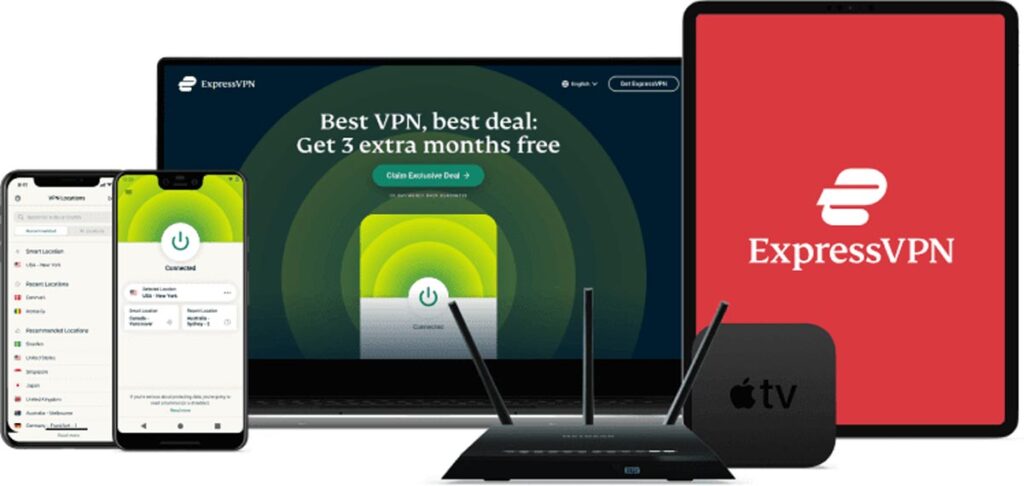
If you’re looking for a VPN that simply works wherever you travel, ExpressVPN is our top recommendation.
It’s known for its excellent combination of speed, security, reliability, and ease of use.
Whether you’re staying in a hotel, working from an airport lounge, or connecting at a café, ExpressVPN makes securing your internet connection straightforward.
Why We Recommend It
ExpressVPN uses AES-256 encryption, the same standard trusted by security professionals worldwide.
It also includes:
- TrustedServer technology (RAM-only servers)
- Automatic Kill Switch (Network Lock)
- Private DNS on every server
- Split tunneling
- Lightway protocol for faster connections
These features help protect your data even when you’re using unfamiliar public networks.
Performance
ExpressVPN consistently delivers fast speeds suitable for:
- HD streaming
- 4K video
- Video conferencing
- Remote work
- Online banking
- Large file downloads
Because it operates servers in over 100 countries, it’s also a great choice for international travelers.
Pros
- ✔ Excellent security
- ✔ Very fast speeds
- ✔ Easy for beginners
- ✔ Huge server coverage
- ✔ Works well for streaming
- ✔ Reliable on hotel Wi-Fi
Cons
❌ Slightly more expensive than competitors
Best For
- Business travelers
- Frequent flyers
- Digital nomads
- Families
- Users who want the simplest premium VPN experience
2. NordVPN – Best for Security and Privacy
⭐⭐⭐⭐⭐
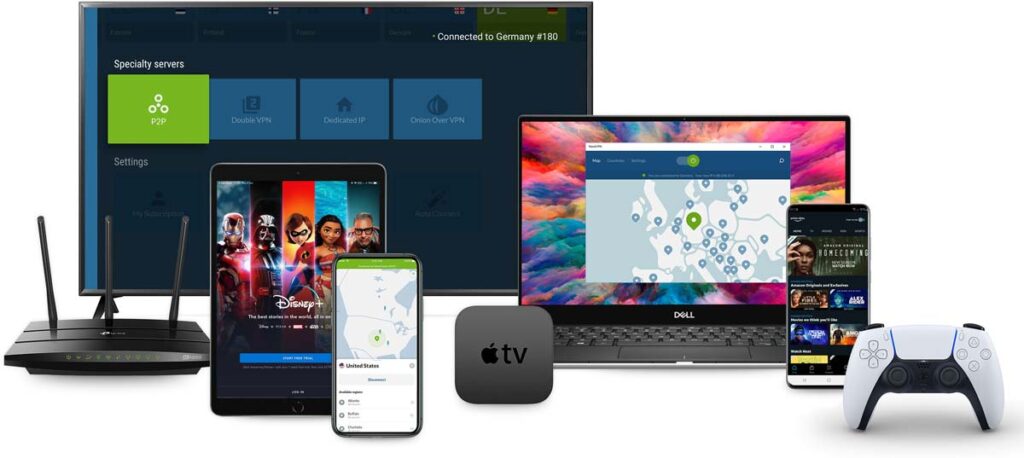
If security is your highest priority, NordVPN is an excellent option.
It’s packed with advanced privacy features while remaining easy enough for everyday users.
Why We Recommend It
NordVPN offers:
- AES-256 encryption
- Double VPN
- Threat Protection
- Dark Web Monitor
- Meshnet
- Kill Switch
- DNS leak protection
These tools help reduce risks when connecting to public networks.
Performance
NordVPN’s NordLynx protocol provides excellent speeds for:
- Streaming
- Video calls
- Cloud storage
- Gaming
- Remote work
Its network includes thousands of servers worldwide, helping reduce congestion during busy travel seasons.
Pros
- ✔ Outstanding security features
- ✔ Very fast
- ✔ Large server network
- ✔ Strong privacy reputation
- ✔ Excellent value
Cons
❌ Desktop interface can take a little time to get used to
Best For
- Privacy-conscious users
- Remote workers
- Business professionals
- Frequent travelers
Quick Comparison
| VPN | Best For | Speed | Security | Ease of Use | Overall Rating |
|---|---|---|---|---|---|
| ExpressVPN | Overall travel | ⭐⭐⭐⭐⭐ | ⭐⭐⭐⭐⭐ | ⭐⭐⭐⭐⭐ | ⭐⭐⭐⭐⭐ |
| NordVPN | Maximum privacy | ⭐⭐⭐⭐⭐ | ⭐⭐⭐⭐⭐ | ⭐⭐⭐⭐☆ | ⭐⭐⭐⭐⭐ |
| Surfshark | Best value | ⭐⭐⭐⭐☆ | ⭐⭐⭐⭐☆ | ⭐⭐⭐⭐⭐ | ⭐⭐⭐⭐☆ |
Which One Should You Choose?
The right VPN depends on your priorities.
Choose ExpressVPN if:
- You want the easiest premium experience.
- You travel frequently.
- You value speed and reliability.
Choose NordVPN if:
- Privacy is your top concern.
- You want advanced security features.
- You regularly work on public Wi-Fi.
Choose Surfshark if:
- You’re looking for the best value.
- You have multiple devices.
- You want strong protection without paying premium prices.
No matter which option you choose, using a reputable VPN is generally a safer choice than browsing on hotel or public Wi-Fi without any additional protection.
Why ExpressVPN Is Our Top Pick
After comparing all five VPNs, ExpressVPN remains our top recommendation because it offers the best overall balance of:
✅ Outstanding security
✅ Excellent speeds
✅ Large global server network
✅ Reliable performance on hotel Wi-Fi
✅ Easy-to-use apps
✅ Strong privacy features
Whether you’re traveling for business or leisure, it provides a dependable and user-friendly experience across laptops, smartphones, and tablets.
If you’re looking for a premium VPN that performs consistently in hotels, airports, cafés, and other public locations, ExpressVPN is a strong choice.
Free VPN vs Paid VPN
Many travelers ask whether they really need to pay for a VPN.
The answer depends on how you use the internet.
Free VPN
Advantages:
- No upfront cost
- Good for occasional use
- Suitable for light browsing
Limitations:
- Limited servers
- Data caps
- Slower speeds
- Fewer security features
- May not work well for streaming or frequent travel
Paid VPN
Advantages:
- Faster speeds
- More server locations
- Better privacy features
- Reliable customer support
- Better streaming compatibility
- Stronger protection on public Wi-Fi
For anyone who regularly connects to hotel, airport, café, or coworking Wi-Fi, a paid VPN is generally the better long-term investment.
Our Final Recommendation
After evaluating security, speed, ease of use, reliability, and value, here are our top picks:
🥇 Best Overall: ExpressVPN
Ideal for travelers who want fast, secure, and reliable protection on hotel and public Wi-Fi.
🥈 Best for Privacy: NordVPN
Excellent for users who prioritize advanced security features and online privacy.
🥉 Best Budget Choice: Surfshark
A great option for families and users who want strong protection at an affordable price.
Common Mistakes Travelers Make
Avoid these common mistakes when using public Wi-Fi.
Connecting to Fake Networks
Always verify the official Wi-Fi name with hotel staff before connecting.
Ignoring Software Updates
Keep your operating system, browser, and VPN app updated to benefit from the latest security improvements.
Logging Into Sensitive Accounts Without Protection
Avoid accessing banking or sensitive business accounts on public Wi-Fi unless you’re using a trusted VPN.
Forgetting to Enable the VPN
Installing a VPN isn’t enough.
Remember to turn it on before using public Wi-Fi.
Many VPN apps include an auto-connect option that automatically secures your connection whenever you join an unfamiliar network.
Is a VPN Enough?
A VPN greatly improves your security, but it’s only one part of staying safe online.
For better protection:
- Use strong, unique passwords.
- Enable two-factor authentication.
- Keep your devices updated.
- Avoid clicking suspicious links.
- Connect only to trusted Wi-Fi networks whenever possible.
A VPN works best as part of good overall cybersecurity habits.
Frequently Asked Questions (FAQs)
Is it safe to use hotel Wi-Fi without a VPN?
Hotel Wi-Fi is generally convenient, but it isn’t always secure. Since these networks are shared by many guests, they can be more vulnerable than your home network. If you plan to access email, online banking, work documents, or other sensitive accounts, using a VPN adds an important layer of protection by encrypting your internet connection.
Can hotels see what websites I visit?
Hotels can typically see that your device is connected to their network, but what they can observe depends on the websites and services you use.
Most modern websites use HTTPS encryption, which protects the content of your communications. A VPN encrypts your internet traffic before it leaves your device, making it significantly more difficult for others on the network to monitor your online activity.
Should I use a VPN at airports and cafés too?
Yes.
Any public Wi-Fi network—including those in airports, cafés, shopping malls, libraries, coworking spaces, and train stations—can present similar security risks.
Using a VPN on all public Wi-Fi networks is a good security practice, especially if you access personal or business accounts while traveling.
Will a VPN slow down my internet connection?
Because a VPN encrypts your traffic and routes it through a secure server, some reduction in speed is normal.
However, premium VPN providers such as ExpressVPN, NordVPN, and Surfshark are optimized for performance, and most users experience little or no noticeable impact during everyday browsing, video calls, or streaming.
Can I stream Netflix or other services using a VPN?
Many premium VPNs support streaming and can help you maintain a secure connection while traveling.
Availability of specific content libraries depends on the streaming service’s policies, licensing agreements, and the VPN you use. Always comply with the streaming platform’s terms of service.
Which VPN is best for business travelers?
For business travelers, we recommend ExpressVPN because it combines:
Excellent security
Reliable performance
Fast speeds
Easy-to-use apps
Servers in over 100 countries
It’s particularly well suited for professionals who frequently rely on hotel or airport Wi-Fi.
Can I use one VPN subscription on multiple devices?
Yes.
Most premium VPN providers allow multiple simultaneous connections.
For example:
ExpressVPN supports several devices at once.
NordVPN also allows multiple simultaneous connections.
Surfshark stands out by allowing unlimited simultaneous device connections under one subscription.
Always check the provider’s current device limits before purchasing, as plans may change over time.
Are free VPNs safe?
Some reputable providers, such as Proton VPN, offer legitimate free plans.
However, many free VPN services have limitations, including slower speeds, fewer server locations, or data caps.
If you regularly travel or frequently use public Wi-Fi, a trusted paid VPN generally provides a better balance of performance, security, and reliability.
Final Thoughts
Public Wi-Fi has made travel more convenient than ever, but convenience shouldn’t come at the cost of your online security.
Whether you’re checking work emails in a hotel lobby, making an online payment at an airport, or browsing from a café, it’s important to remember that public networks aren’t always as secure as your home internet connection.
A trusted VPN helps protect your personal information by encrypting your connection, making it much harder for others to intercept your data.
While no security tool can eliminate every online risk, combining a reputable VPN with good cybersecurity habits—such as using strong passwords, enabling two-factor authentication, and keeping your devices updated—can significantly improve your safety while traveling.
If you regularly rely on hotel or public Wi-Fi, investing in a quality VPN is a practical step toward protecting your privacy and browsing with greater confidence.
